
Py.
The Python gallery
Pages are authored and served in Python. The code panel shows the Python page; examples with browser Logic also expose the companion JavaScript.
Open Python gallery ↗The galleries / A working guide
Every example is a running page, with its recipe beside it. Explore basic HTML and SVG, reactive bindings, controllers and the component collection.
Py.
Pages are authored and served in Python. The code panel shows the Python page; examples with browser Logic also expose the companion JavaScript.
Open Python gallery ↗JS.
Pages are authored in JavaScript and served by Node.js. The code panel shows the JavaScript page, using the same concepts and component names.
Open JavaScript gallery ↗Two authoring languages, a shared set of lessons. The browser runtime is JavaScript in both versions.
A first visit
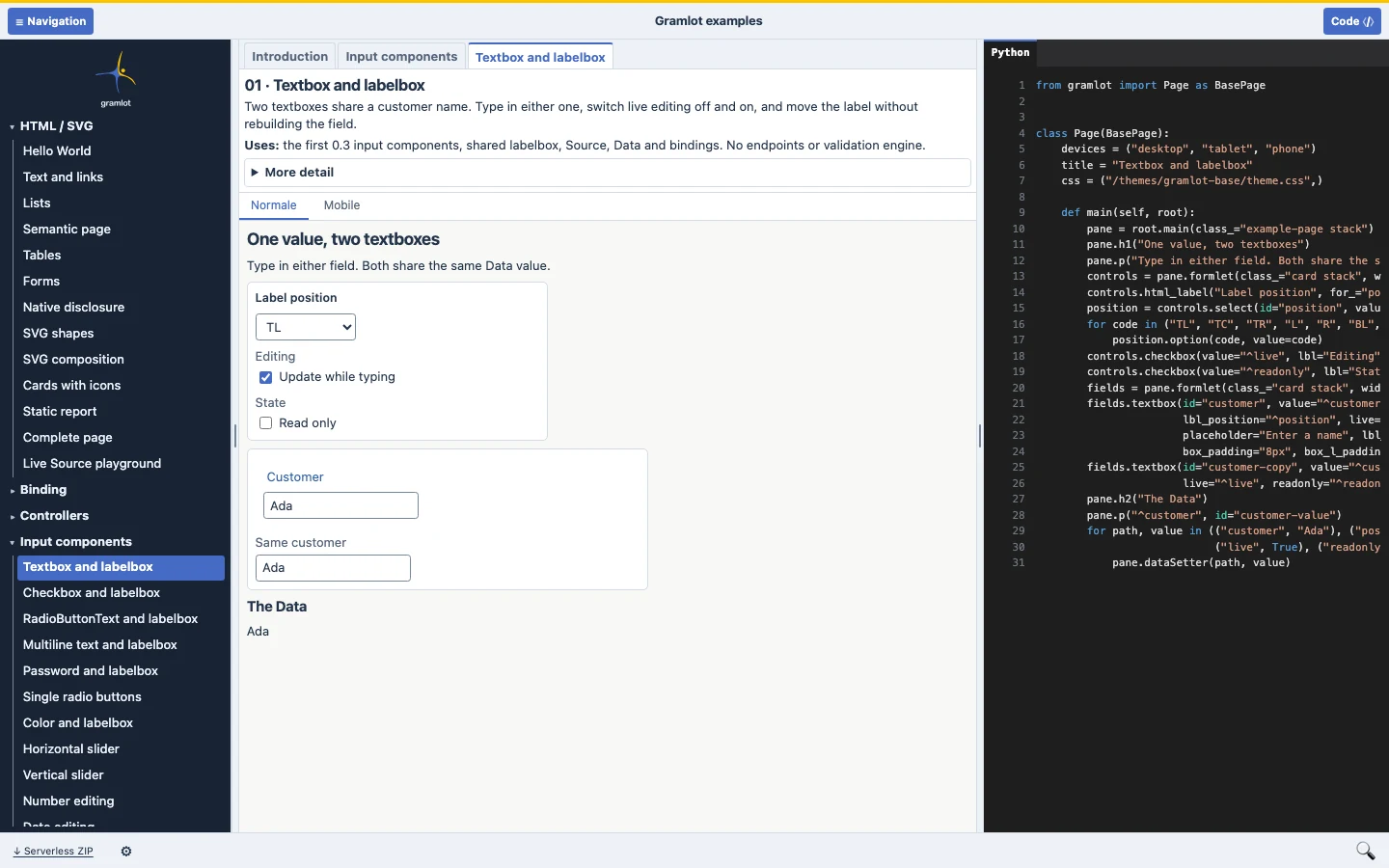
Start with a textbox, then follow the data.
Open “Textbox and labelbox”. Type in one field and watch another view of the same Data change. Compare the declaration with the result.
Open “Validation rules and callbacks”. Try a one-letter name or quantity 11. See the rejected draft and the last accepted Data side by side.
The footer gear opens theme, light/dark and label-position settings. The Example and Explanation views keep the running page available; on smaller screens use the dedicated Example, Code and Inspector views.
Use the top toolbar to show or hide navigation and code. Drag the dividers to resize them. Example tabs let you return to an already open page.
Look inside
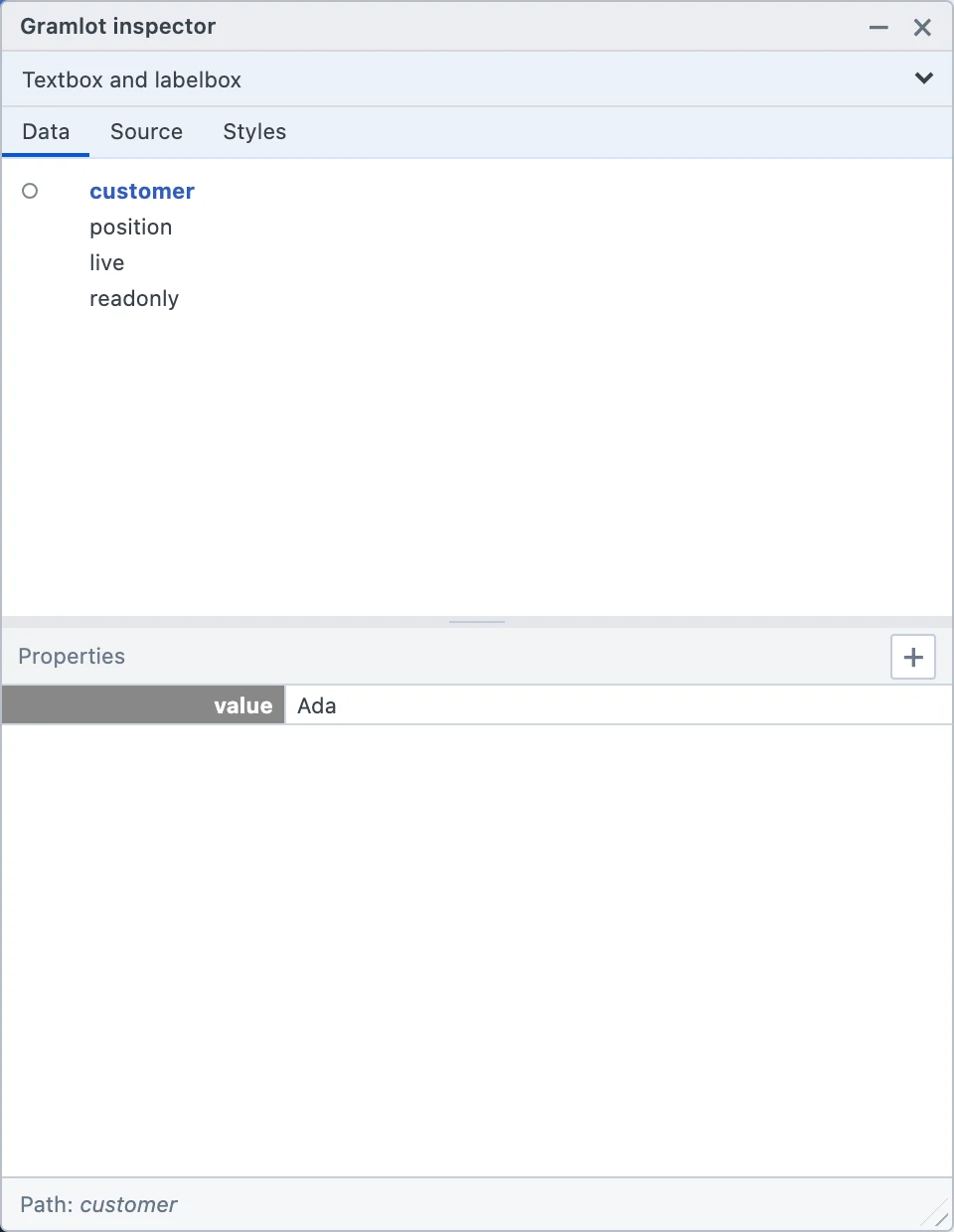
Use the magnifying glass in the gallery footer to open the floating inspector.
The page selector switches between the gallery shell and the current example. Source supports branch insertion, removal, movement and Undo/Redo. Runtime edits are exploratory: they do not rewrite the source file.
A Chrome DevTools extension exposes the same inspector. Download its release ZIP, extract it and use “Load unpacked” in Developer mode. Follow the extension’s origin and file-access instructions.
Take it with you
A downloadable version for exploring the examples offline.
The same download is available in the footer of both hosted galleries.
index.html in a modern browser.“Serverless” here means a browser-hosted application. Python does not run in the browser. A browser Worker cannot stand in for a trusted backend, keep server secrets or connect directly to a private database.
CONTINUE HERE